Phirepass
Reach it. Watch it. Never expose it.
Access and monitor any machine securely, without opening a port. One agent, dialling out — no VPN, no inbound firewall rules, nothing for your users to install.
- SSH
- SFTP
- RDP
- HTTP
One outbound connection. Zero inbound ports.
The agent calls out to the relay and holds the connection open. Your browser talks to the relay too — it matches the two up and forwards traffic between them.
01
Browser
Any device, any OS. Opens a WebSocket to the relay — no client software to install.
02
Relay
Authenticated proxy that looks up which node you're targeting and forwards framed traffic to it.
03
Agent
A small binary on the target machine. Dials out only — never accepts an inbound connection.
04
Local service
SSH, SFTP, RDP, or a local HTTP service (Grafana, an admin panel, an API) — never exposed publicly.
See it in action
One dashboard for every node, with a terminal, a file browser and a remote desktop one click away.
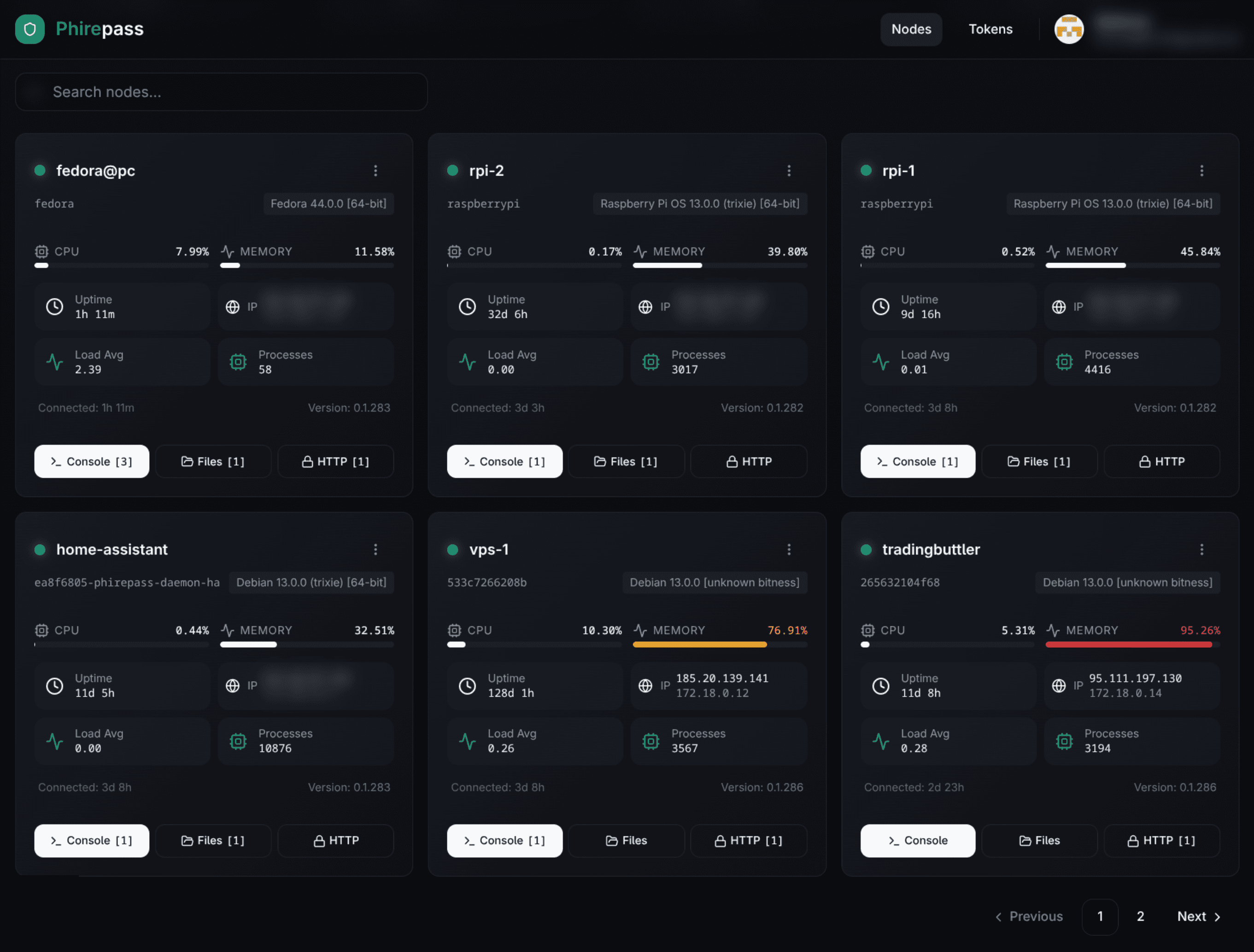
Your whole fleet, one dashboard
Every node's CPU, memory, uptime, and connection status at a glance.
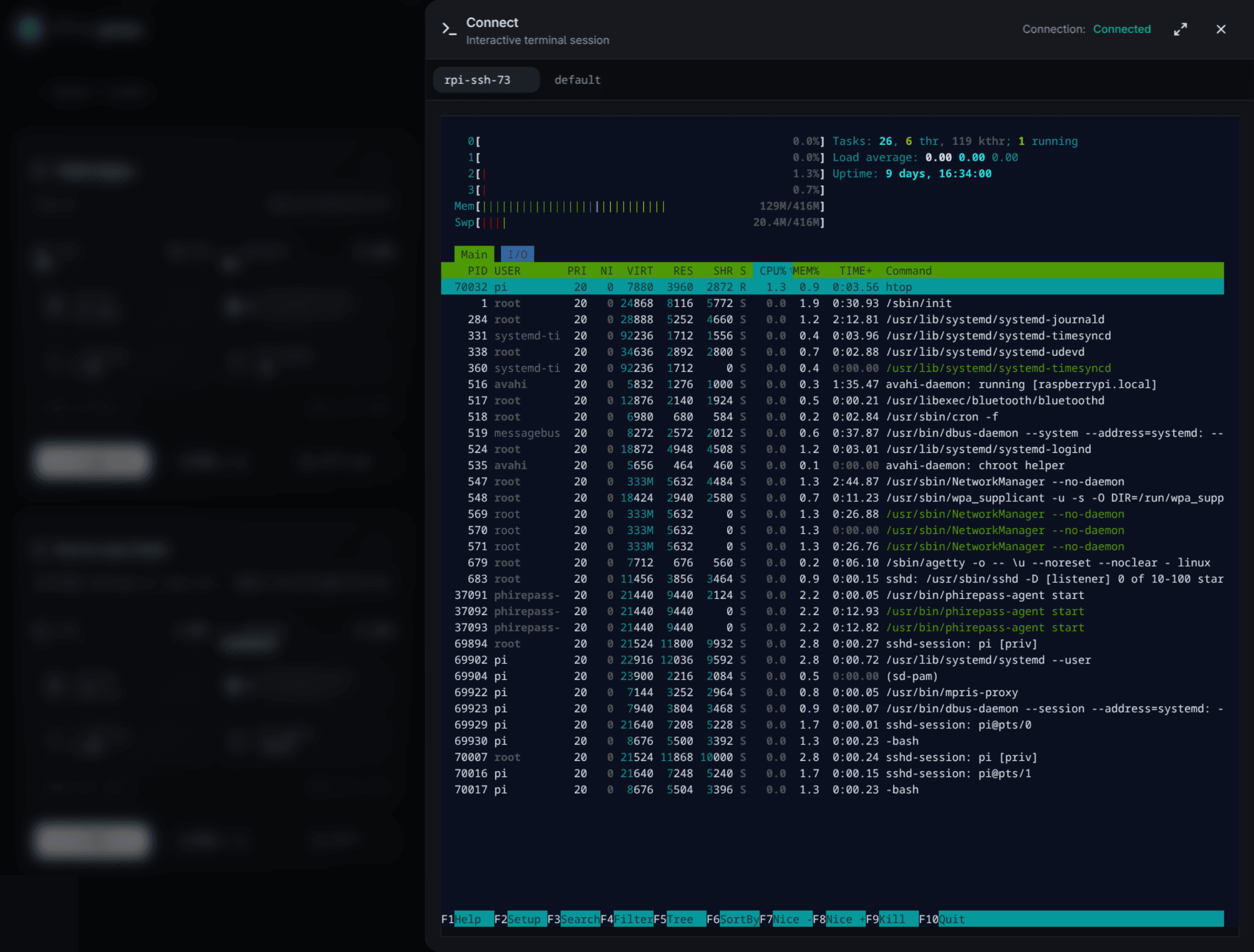
A real terminal, in the browser
Full xterm.js terminal backed by a real SSH session — PTY, resize, paste, the works.
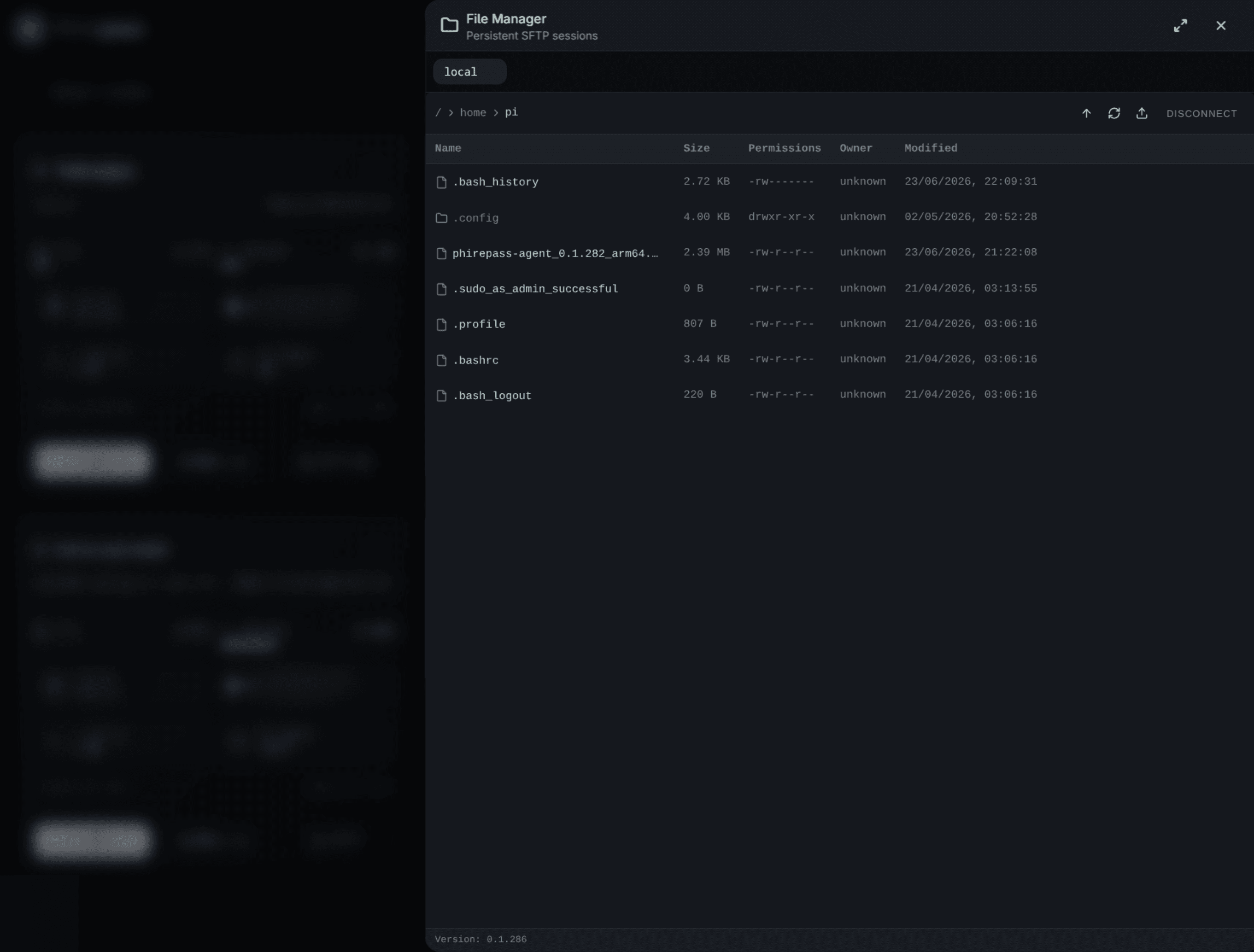
Visual SFTP file browser
Browse, upload, and download files over the same tunnel — no separate client.
Everything you need to reach a machine
Terminal, files, desktops, and internal web services — all through the same tunnel
SSH terminal
A real xterm.js terminal on a real SSH session — PTY, resize, paste. The agent opens it locally and streams it over the relay.
SFTP file browser
Browse, upload, and download over the same tunnel. Chunked both ways, so big files and slow links don't stall it.
Internal web services
Open a dashboard, admin panel, or internal API on a node in your browser — no reverse proxy, no public DNS record.
Remote desktop
Reach a Windows machine's desktop over RDP, rendered in the browser. Nothing to install on the viewing side.
Every node, one view
Each node's heartbeat, status, CPU, and memory in one place. Revoke a node and it can't reconnect without re-enrolling.
Home Assistant add-on
Running Home Assistant? Install the agent as an add-on and reach that box like any other node.
Uptime monitoring, internal and external
External checks run from our servers and see your public URL the way the internet does. Internal checks run on your own agent, inside the network — on the private API, the admin panel bound to localhost, the health endpoint behind the firewall. Plenty of services do the first one well. The second is the one they can't reach at all.
An example monitor: one card per service, 30 days at a glance
Pick where the check runs from
External, from our server fleet, for anything with a public address. Internal, on an agent you already installed, for everything else — nothing has to be published to be watched, and there is nothing extra to deploy. Same monitor, same history, either way.
Checks that know the difference
Every check tests the status code, an optional keyword in the response body, and how long the answer took. A slow but correct response is marked degraded, not down — so a red monitor still means something at 3am.
Thirty days of honest history
Uptime across 24 hours, 7 days, and 30 days, a daily bar strip, average latency, and a timeline of every incident. Checks that reached no verdict are shown as gaps and left out of the percentage — never quietly counted as uptime.
No static secrets. Ever.
Every credential in the system is short-lived, cryptographically bound to the node, and can be revoked instantly
Outbound-only, always
The agent makes a single outbound WebSocket connection and holds it open. Nothing listens for inbound traffic on the machine it runs on.
One-time bootstrap token
A scoped Personal Access Token registers the node exactly once. After that, the token is never used again.
Ed25519 node identity
Each agent generates its own keypair on first run. The private key never leaves the device; the public key becomes its permanent identity.
Short-lived session tokens
Every reconnect goes through a fresh challenge-sign-verify exchange and gets a JWT that expires in minutes, not days.
Built for your team
Any team that manages private infrastructure and can't open inbound ports
DevOps & SRE teams
Shell access to a server fleet without keeping port 22 open to the internet.
Home labs & self-hosters
Reach a Pi or NAS behind CG-NAT with no static IP, no port forwarding, no DDNS.
MSPs & IT consultants
Onboard a client machine without asking anyone to touch a firewall rule.
Education & research labs
Give students access to shared lab servers without handing out network changes.
Support teams
Jump onto a customer's or colleague's machine for a session, then walk away — nothing left listening.
Reach it. Watch it. Never expose it.
Access your node from any browser, and put its services under monitoring, in minutes.